


How-To Fix System Restore Failed and Other System Restore Errors
By Timothy Tibbettson 06/15/2023 |
System Restore can return some errors including "System Restore did not complete successfully, Details: System Restore failed while restoring the directory from the restore point, Source: AppxStaging, Destination: %ProgramFiles%WindowsApps, and An unspecified error occurred during System Restore (0x80070091). Here's how to fix these and other similar errors.
1: Reboot or Try Safe Mode
Sometimes there could be a conflict that a reboot could solve. Try this first because it's a simple fix. If that does not fix your problem, reboot into Safe Mode and try again. Making sure Windows Updates are working, and current is also a good idea here.
Rename the WindowsApps Folder
Almost always we have found that there's a problem with the WindowsApps folder that can cause numerous issues with System Restore. An easy way to test this is to rename the folder in Safe Mode using the steps below. We named the folder WindowsAppsOLD, so it's easy to find later. Windows will automatically recreate the folder for you after you reboot.
Reboot into Safe Mode and open PowerShell or Command Prompt as Admin.
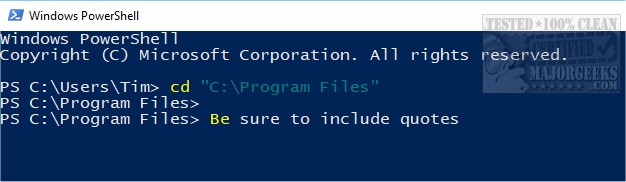
Type in the following lines and press enter after each. Be sure to use quotes where you see them:
cd "C:Program Files"
takeown /f WindowsApps /r /d Y
icacls WindowsApps /grant “%USERDOMAIN%%USERNAME%”:(F) /t
attrib WindowsApps -h
rename WindowsApps WindowsAppsOLD
Reboot and see if your problem is solved. If so, you can delete WindowsAppsOLD or whatever you renamed the WindowsApps folder to.
Similar:
How to Delete Some or All System Restore Points on Windows 10
Enable, Disable, Manage, Delete or Create a System Restore Point
How to Change System Protection Storage Size in Windows 10
How-To Fix System Restore Failed While Restoring the Directory and Other System Restore Errors
comments powered by Disqus
1: Reboot or Try Safe Mode
Sometimes there could be a conflict that a reboot could solve. Try this first because it's a simple fix. If that does not fix your problem, reboot into Safe Mode and try again. Making sure Windows Updates are working, and current is also a good idea here.
Rename the WindowsApps Folder
Almost always we have found that there's a problem with the WindowsApps folder that can cause numerous issues with System Restore. An easy way to test this is to rename the folder in Safe Mode using the steps below. We named the folder WindowsAppsOLD, so it's easy to find later. Windows will automatically recreate the folder for you after you reboot.
Reboot into Safe Mode and open PowerShell or Command Prompt as Admin.
Type in the following lines and press enter after each. Be sure to use quotes where you see them:
cd "C:Program Files"
takeown /f WindowsApps /r /d Y
icacls WindowsApps /grant “%USERDOMAIN%%USERNAME%”:(F) /t
attrib WindowsApps -h
rename WindowsApps WindowsAppsOLD
Reboot and see if your problem is solved. If so, you can delete WindowsAppsOLD or whatever you renamed the WindowsApps folder to.
Similar:
How to Delete Some or All System Restore Points on Windows 10
Enable, Disable, Manage, Delete or Create a System Restore Point
How to Change System Protection Storage Size in Windows 10
How-To Fix System Restore Failed While Restoring the Directory and Other System Restore Errors
comments powered by Disqus
